
Free New Apple Numbers, Pages & Keynote Templates
Browse the latest free templates for Apple Numbers, Pages, and Keynote. Fully editable designs for budgeting, calendars, school, business, and more.
Explore the newest Apple Numbers, Pages, and Keynote templates added to iWorkCommunity. This page highlights our most recently published spreadsheets, documents, and themes so you can quickly find fresh layouts and updated designs.
All templates are free to download and fully editable. Check back regularly to discover the latest budgeting tools, calendars, planners, school resources, and productivity templates.
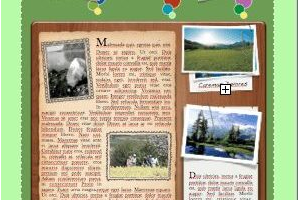
Green Garden Poster
Portrait-oriented poster with green grass background. This nature-themed template offers an abundance...

Green Daisy Trifold Brochure
Trifold brochure with green daisy accents. Template set includes three-page styles with three panels...

Green and Red Holiday Ornaments Card
Red and green striped holiday ornaments card. This template includes a message saying "Happy Holiday...

Green and Gray Portrait Poster
Portrait-oriented poster with green and gray accents and graph. This template includes space for a graph,...

Green and Gray Landscape Poster
Landscape-oriented poster with green and gray accents. This poster includes a large image placeholder,...

Gray Steel Poster
Portrait-oriented poster with metallic accents. Template includes a gray textured background with steel...

Gray Gradient Keynote Theme
Set of three kinds of keynote pages with a gray gradient theme. This set includes a cover page with title...
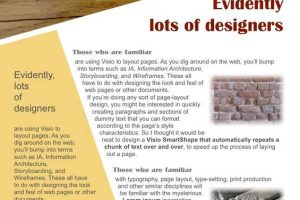
Geometric Woodgrain Poster
Portrait-oriented poster with geometric accents and woodgrain header. This single-page template offers...

Geometric Shapes and Foldable Boxes
Set of 6 colorful one-dimensional shapes and two foldable 3D shapes. This set includes a brightly colored...
Create stunning projects with our New iWork Templates
Using templates can be a great way to increase your productivity and creativity when working with iWork apps like Pages, Numbers, and Keynote. With pre-designed templates, you don't have to start from scratch every time you create a new document or presentation. Instead, you can simply choose a template that fits your needs and customize it to your liking. This can save you a lot of time and effort, allowing you to focus on the content of your project rather than the design.
Templates can also help boost your creativity by giving you a starting point to work from. Even if you have a clear vision of what you want your project to look like, starting with a template can help you explore new design ideas that you may not have considered before. For example, if you're creating a business presentation, a template with a unique layout or color scheme could inspire you to try something new and make your presentation stand out from the rest.
In addition, using templates can help ensure that your projects are consistent in terms of design and branding. If you're creating multiple documents or presentations for the same project or company, using a template can help you maintain a consistent look and feel across all of your materials. This can help build brand recognition and reinforce your message with your audience.
Overall, using templates is a great way to streamline your workflow, save time, and boost your creativity. Our collection of free iWork templates for Pages, Numbers, and Keynote is the perfect place to start. Browse our selection today and see how our templates can help you take your projects to the next level.
 iWorkCommunity