
If you have a pile of receipts in a drawer, tax papers stacked on your desk, or random PDFs scattered across your Mac, a good document scanner can make a bigger difference than most people expect. For Mac users, the goal is not just to scan paper. It is to create a clean, searchable system for receipts, bills, statements, warranties, and tax documents that is easier to manage in Finder, Preview, iCloud Drive, and Apple Numbers.
That is what makes a receipt scanner such a useful personal finance tool.
A dedicated scanner is usually faster, cleaner, and more dependable than trying to use a flatbed printer every time you need to digitize a receipt or save an important document. If you are building a paperless finance workflow on a Mac, the right scanner can help you stay organized all year, not just when tax season shows up.
In this guide, I am focusing on scanners that make sense for Mac users who want to manage money, expenses, and financial paperwork more efficiently. Some are better for a compact home setup, some are better for heavy receipt scanning, and some are better if you want something portable.
Affiliate disclosure: This article contains affiliate links. If you click through and make a purchase, I may earn a commission at no extra cost to you. I only recommend products I believe are genuinely useful for Mac users trying to organize receipts, documents, and personal finances more effectively.
The Best Receipt Scanners for Mac Users at a Glance
If you want the quick answer, here are the best picks by use case:
- Best overall: ScanSnap iX1300
- Best premium pick: ScanSnap iX2500 Receipt Edition
- Best portable pick: Epson RapidReceipt RR-60
- Best for receipt-heavy workflows: Epson RapidReceipt RR-600W
- Best compact desktop alternative: Epson WorkForce ES-C220
- Best value desktop scanner: Epson WorkForce ES-400 II
- Best for speed and larger batches: Brother ADS-3350W
How I Chose These Scanners
I looked at these scanners through the lens of how someone would actually use them with a Mac-based personal finance system.
That means I paid attention to things like:
- Mac compatibility
- how well they handle receipts, bills, and standard documents
- whether they support duplex scanning
- whether they include an automatic document feeder
- portability versus desktop performance
- how well they fit a home office or household setup
- whether they make it easier to build searchable digital records
- overall value for the kind of finance workflow they support
Not every person needs the biggest or fastest scanner. Some people need something compact that can live on a desk next to a MacBook. Others need something stronger because they want to scan years of paperwork, business receipts, or large stacks of statements. The best choice depends on how much paper you deal with and how often you want to scan.
7 Best Receipt Scanners for Mac Users
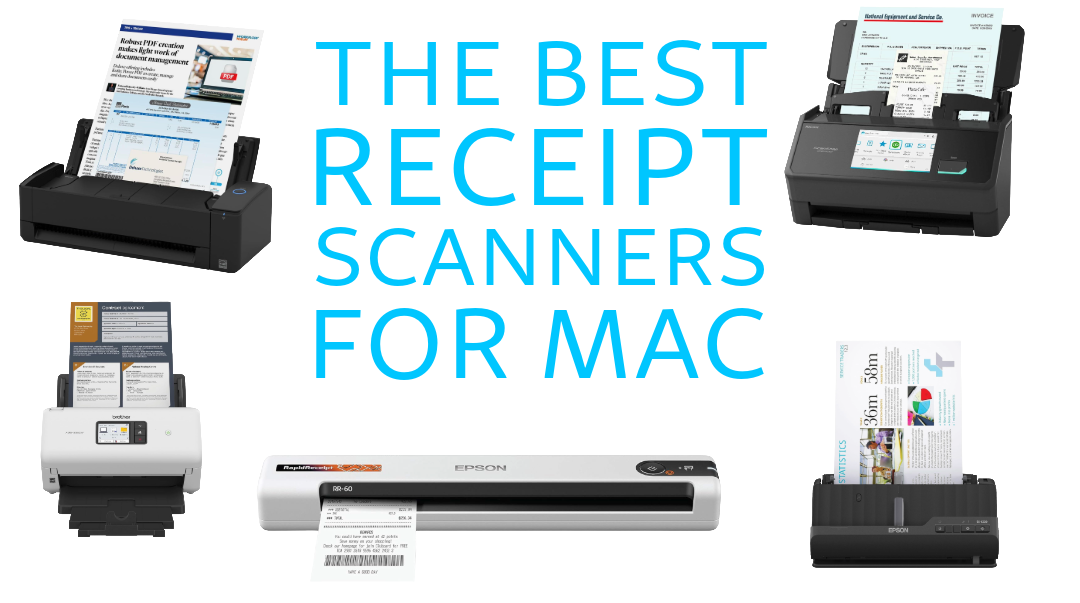
1. ScanSnap iX1300
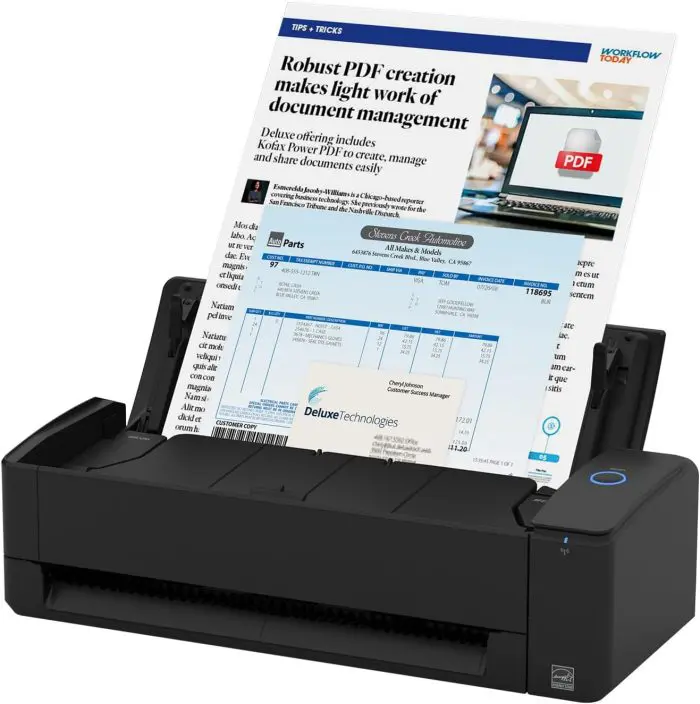
Best for: Most Mac users who want the best balance of size, convenience, and everyday scanning performance.
The ScanSnap iX1300 is the scanner I would point most Mac users to first. It has a small footprint, looks like it belongs in a modern desk setup, and is well suited for the kind of paperwork people actually deal with at home, including receipts, bills, bank statements, tax forms, and household records.
What makes it appealing is that it sits in the sweet spot. It is more capable than a basic portable scanner, but it does not demand as much space as a larger office-style machine. If you want something that can stay on your desk and be ready when you need it, this is a strong option.
What I like:
- Compact enough for smaller desks
- Good fit for routine finance and document scanning
- Easier to justify for home use than a bulky office scanner
- Strong overall mix of convenience and capability
What to consider:
- Not the cheapest option
- Heavy paper users may want something more robust
Why it works well for Mac users: Mac users often care about a clean setup, simple workflows, and tools that fit into daily habits. The iX1300 makes sense if you want to scan a receipt, save it as a PDF, drop it into iCloud Drive, and move on.
Personal finance use cases:
- Scan monthly bills and keep them in dated folders
- Save tax receipts as searchable PDFs
- Digitize insurance documents and household records
- Organize expense records for side work or freelance income
Check price and details for the ScanSnap iX1300 on Amazon
ScanSnap iX2500 Receipt Edition
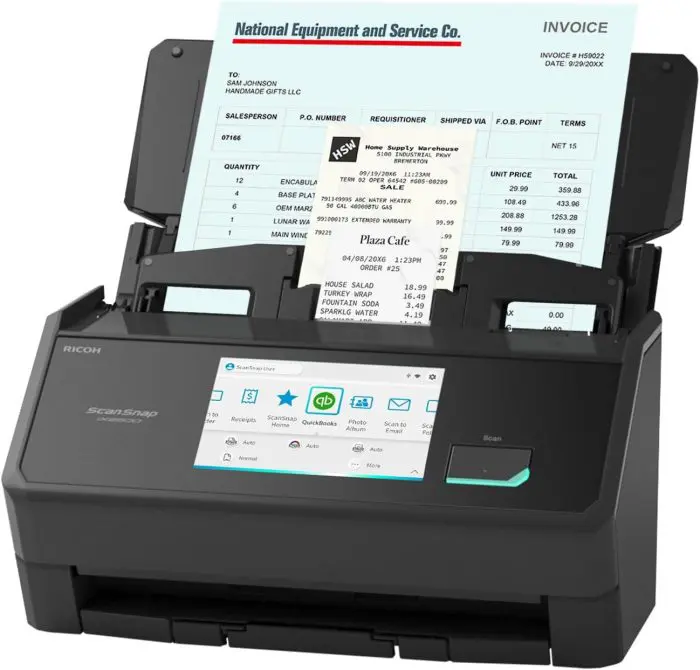
Best for: Mac users who want a premium scanner for frequent receipt and document scanning.
If the iX1300 feels like the best all-around pick, the ScanSnap iX2500 Receipt Edition feels like the step-up option for people who know they are going to use a scanner a lot. This is the kind of scanner that makes sense for a serious home office, a self-employed person, or anyone who wants to digitize a large backlog of papers and keep up with receipts consistently.
This is a more premium choice, and it is better suited for people who want speed, convenience, and a stronger long-term scanning setup. If your workflow involves more than the occasional receipt, this kind of scanner can save you real time over the course of a year.
What I like:
- Better suited for heavier use
- Great fit for serious receipt and document management
- Strong option for a paperless tax and expense system
- Makes sense for home office and small business style workflows
What to consider:
- More expensive than lighter-duty options
- Probably more scanner than casual users need
Why it works well for Mac users: If your Mac is the center of your home office or business workflow, a premium scanner like this can become part of your regular system. Scan it once, save it correctly, and you do not have to touch the paper again.
Personal finance use cases:
- Scan a large number of receipts each month
- Organize business and personal expense records
- Digitize statements, invoices, and tax forms
- Build a long-term paperless archive by year and category
Check price and details for the ScanSnap iX2500 Receipt Edition on Amazon
Epson RapidReceipt RR-60
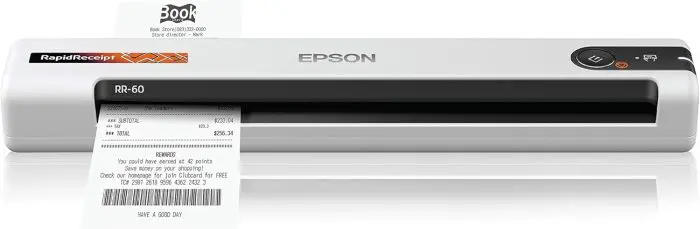
Best for: People who want a portable scanner for receipts, travel, or occasional use.
The Epson RapidReceipt RR-60 is appealing because it gives you a simpler, more portable way to handle receipts without committing to a larger desktop scanner. If you have limited desk space, travel for work, or just want something you can pull out when needed, this kind of model makes a lot of sense.
Portable scanners are especially useful if your receipts are collected on the go. If you want to scan travel expenses, reimbursement receipts, or side-hustle purchases before they pile up, a smaller scanner can make the habit easier.
What I like:
- Travel-friendly and compact
- Easier to store than a desktop scanner
- Great for lighter receipt workflows
- Good fit for freelancers and side hustles
What to consider:
- Not ideal for big stacks of paperwork
- Better for light to moderate use than heavy-duty scanning
Why it works well for Mac users: Mac users who prefer minimal setups often do not want large office hardware on the desk. A portable scanner gives you a way to keep paper organized without changing the whole look and feel of your workspace.
Personal finance use cases:
- Scan receipts from business trips or family travel
- Keep up with reimbursement records
- Log side-gig expenses into Apple Numbers
- Handle occasional household paperwork without buying a bigger machine
Check price and details for the Epson RapidReceipt RR-60 on Amazon
4. Epson RapidReceipt RR-600W
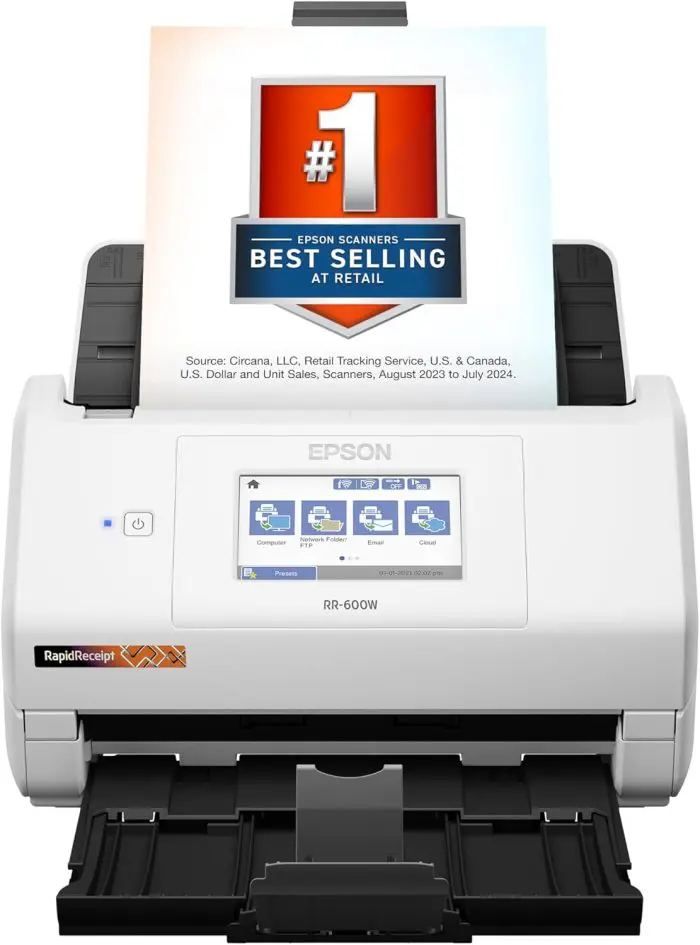
Best for: Receipt-heavy workflows and people who want a stronger desktop scanner for finance organization.
The Epson RapidReceipt RR-600W is a better fit if receipts are your main focus and you want something more substantial than a portable unit. This is the kind of scanner that makes sense if you are serious about organizing tax paperwork, household expenses, reimbursement records, or business receipts.
It is easier to justify if scanning is going to become part of your routine. Instead of waiting until tax season and then facing a mess of paper, you can process documents steadily throughout the year.
What I like:
- Strong fit for receipt-focused organization
- Better for routine scanning than a portable model
- Good option for home office finance systems
- More practical for larger volumes of paper
What to consider:
- Takes up more desk space than a portable scanner
- Overkill for very occasional users
Why it works well for Mac users: This scanner fits especially well if you use your Mac as the hub for financial organization. You can create an annual folder structure, scan documents as PDFs, and pair that with tracking sheets in Numbers.
Personal finance use cases:
- Scan and store receipts by month or category
- Build a digital tax archive
- Organize medical, insurance, and household expense records
- Keep cleaner records for side income or self-employment
Check price and details for the Epson RapidReceipt RR-600W on Amazon
5. Epson WorkForce ES-C220
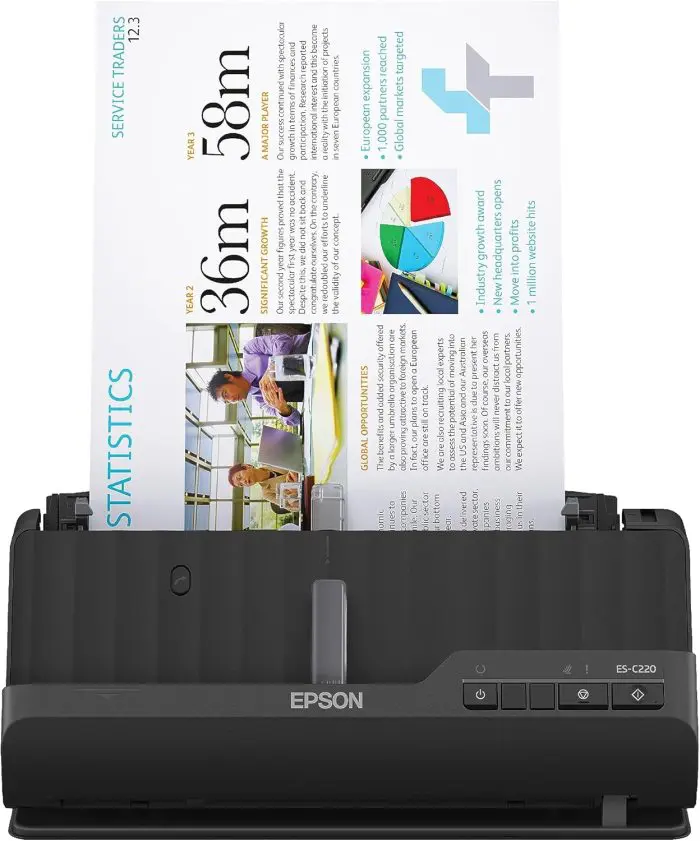
Best for: Mac users who want a compact desktop scanner with a little more presence than a portable model.
The Epson WorkForce ES-C220 is a nice middle-ground option. It gives you more of a desktop-scanner experience while still aiming at people who do not have unlimited space. That makes it useful for apartment offices, family desks, or smaller home office setups.
If you want something that feels more permanent than a travel scanner but still compact enough to fit into a tidy Mac workspace, this is the kind of model worth considering.
What I like:
- Compact desktop design
- Better suited for regular use than an ultra-portable scanner
- Useful for small-space setups
- Good bridge between portability and desktop capability
What to consider:
- May not be as compelling if you either want true portability or maximum speed
- Sits in the middle rather than dominating any one category
Why it works well for Mac users: A lot of Mac users want tools that are efficient without making their desk feel cluttered. The ES-C220 fits that mindset well. It can stay available for regular paperwork without taking over the room.
Personal finance use cases:
- Scan household bills each month
- Digitize school, medical, and insurance paperwork
- Maintain a cleaner file system for taxes and financial records
- Pair scanned records with a personal budget system in Numbers
Check price and details for the Epson WorkForce ES-C220 on Amazon
6. Epson WorkForce ES-400 II
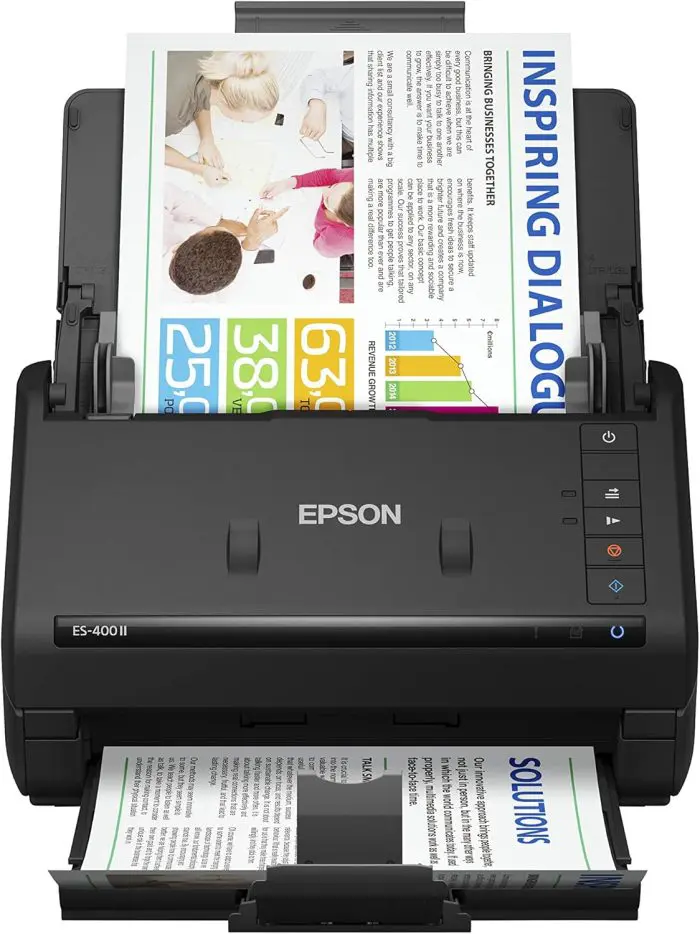
Best for: People who want a strong value desktop scanner for regular paperwork.
The Epson WorkForce ES-400 II stands out as a practical value pick. If you want a real desktop scanner for bills, tax documents, statements, and other paperwork, but you do not necessarily want to pay premium prices, this is the kind of option that becomes very appealing.
It is not trying to be the smallest or the fanciest. Instead, it feels like a solid workhorse choice for households and home offices that need dependable document scanning.
What I like:
- Strong value for a desktop scanner
- Good fit for regular financial paperwork
- Better for batches than smaller portable models
- Makes sense for people building a lasting home organization system
What to consider:
- Less portable than lightweight models
- Not as premium-feeling as some higher-end alternatives
Why it works well for Mac users: If your goal is simply to create a dependable paperless workflow with your Mac, the ES-400 II checks a lot of boxes. It can help you scan old paperwork, stay current on new documents, and keep everything in one searchable system.
Personal finance use cases:
- Scan bank statements, loan documents, and receipts
- Digitize tax paperwork by year
- Reduce paper clutter in a family office
- Build a household document archive you can actually search
Check price and details for the Epson WorkForce ES-400 II on Amazon
7. Brother ADS-3350W
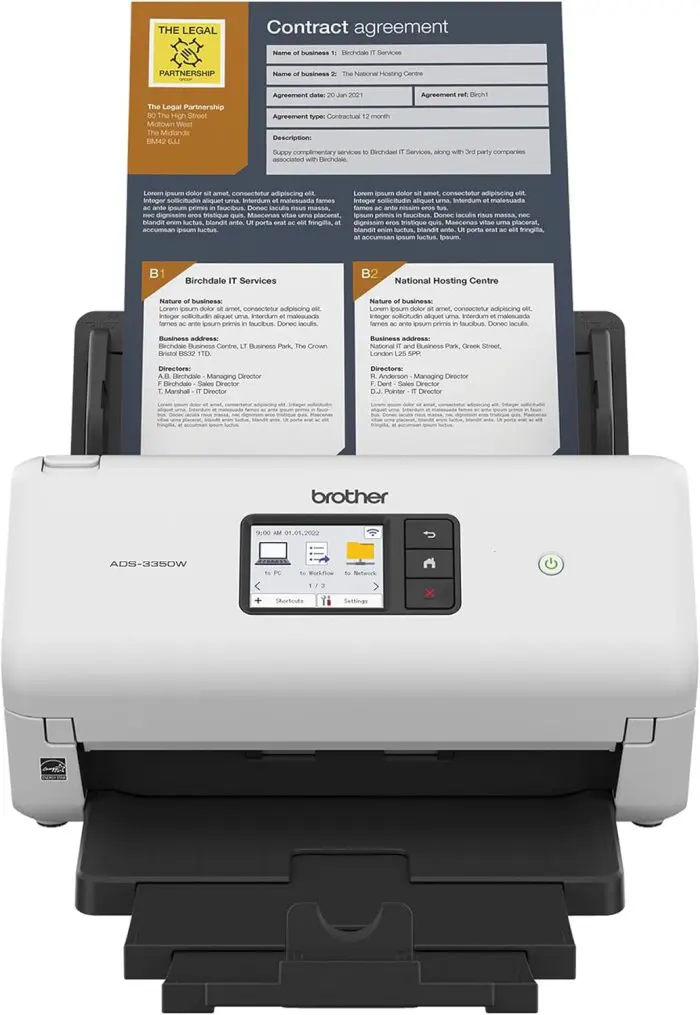
Best for: Speed, larger batches, and heavier-duty home office use.
The Brother ADS-3350W is the scanner on this list that makes the most sense if you care about volume and speed. If you are going to scan large stacks of paper, clean up years of records, or deal with a lot of incoming documents, this is the kind of model that can earn its place on your desk.
For some people, this will be more than they need. But if you want a stronger machine that can handle bigger jobs without feeling like a compromise, it is a smart option to consider.
What I like:
- Better suited for larger jobs and routine scanning
- Strong fit for busy home offices
- Makes backfile scanning more realistic
- Good option for users who want speed and capacity
What to consider:
- Larger and less minimalist than compact models
- More capability than many households need
Why it works well for Mac users: Even if the styling matters less here than with a smaller scanner, the benefit is clear if your Mac is your main workstation and you need to process a lot of paper efficiently. This is the kind of scanner that can help you go from paper chaos to organized files much faster.
Personal finance use cases:
- Scan multiple years of financial records
- Process large batches of tax and household documents
- Keep up with mail, bills, and records in a family office
- Manage receipts and paperwork for a side business or rental property
Check price and details for the Brother ADS-3350W on Amazon
What Mac Users Should Look for in a Receipt Scanner
Not every scanner is built for the same kind of work. If your focus is personal finance and document organization, these are the features that matter most.
OCR and Searchable PDFs
One of the biggest advantages of a dedicated scanner is the ability to turn paper into searchable files. That matters a lot when you need to find a receipt from six months ago or pull up a tax form quickly.
Duplex Scanning
If you are scanning double-sided paperwork, duplex scanning saves time and frustration. Bills, statements, and official forms often include information on both sides.
Automatic Document Feeder
An ADF matters most if you scan more than a page or two at a time. If you are cleaning up years of records, an ADF can make the difference between a project you finish and one you avoid.
Portable vs Desktop Design
Portable scanners are great for travel, occasional receipts, and very small workspaces. Desktop scanners are better if you want something ready to use regularly and capable of handling larger volumes of paper.
Wireless vs USB
Some people want a scanner that can live neatly in a workspace without extra cable hassle. Others are happy with a wired connection if it saves money or gives them a simpler setup. Think about how you actually use your desk, not just what sounds nice on paper.
Size and Footprint
This matters more than people think. A good scanner that is easy to reach is much more likely to become part of your routine.
How to Build a Paperless Personal Finance Workflow on a Mac
A scanner becomes much more valuable when it is part of a repeatable system.
Here is a simple approach that works well for many Mac users:
1. Create a clear folder structure
Set up folders in iCloud Drive or on your Mac for areas like:
- Taxes
- Receipts
- Bills
- Insurance
- Banking
- Medical
- Warranties
Then create yearly subfolders so everything stays organized over time.
2. Use consistent file names
A file name like 2026-03 Electric Bill.pdf or 2026-02 Office Supply Receipt.pdf is much easier to find later than scan001.pdf.
3. Scan documents as they come in
Do not let the pile build if you can help it. A simple weekly or monthly scan routine is easier than trying to process everything at once.
4. Track totals in Apple Numbers
Your scanner handles the paper side. Apple Numbers can handle the money side. You can log reimbursement amounts, categorize expenses, track monthly spending, or keep a running receipt summary that matches your scanned documents.
5. Keep only what you need on paper
Some documents may still be worth keeping physically, but a lot of everyday paper can be safely turned into organized digital records that are easier to search and far less likely to get lost.
Which Receipt Scanner Should You Buy?
If you are still deciding, here is the simplest way to narrow it down.
- Choose the ScanSnap iX1300 if you want the best all-around choice for everyday home finance use on a Mac.
- Choose the ScanSnap iX2500 Receipt Edition if you want a premium scanner and expect to scan often.
- Choose the Epson RapidReceipt RR-60 if portability matters most.
- Choose the Epson RapidReceipt RR-600W if receipts are your main priority.
- Choose the Epson WorkForce ES-C220 if you want a compact desktop setup.
- Choose the Epson WorkForce ES-400 II if you want strong value and dependable desktop performance.
- Choose the Brother ADS-3350W if you want higher speed and better batch handling.
The best scanner is the one you will actually use consistently. That usually means choosing the model that fits your space, paper volume, and routine, not just the one with the longest feature list.
FAQ
Do receipt scanners work with Mac?
Yes, many dedicated receipt and document scanners work well with Mac. The most important thing is choosing a model that fits the way you plan to scan and organize paperwork.
What is the best scanner for digitizing receipts and tax documents?
For most people, the best option is the one that balances convenience, footprint, and regular usability. A compact desktop model is often the best fit for home finance systems.
Do I need a receipt scanner if I already use Apple Numbers?
Yes, because Apple Numbers helps you organize and analyze financial information, while a scanner helps you digitize the underlying paper records. They work well together.
Is a portable scanner good enough for personal finance?
It can be, especially if your scanning needs are light or you want something easy to store. But if you regularly scan statements, tax forms, and batches of paperwork, a desktop scanner is usually the better long-term choice.
Is a dedicated scanner better than an all-in-one printer for receipts?
For most people who want to stay organized, yes. A dedicated scanner is usually faster and easier to use for routine paperwork, which means you are more likely to keep up with it.
Final Thoughts
A good receipt scanner can make your Mac-based personal finance system much easier to maintain. Instead of dealing with random paper piles, missing receipts, and stressful tax-time cleanup, you can build a cleaner workflow that keeps your records organized all year.
If you want the best overall balance for most people, start with the ScanSnap iX1300. If you want something more premium for heavier use, look at the ScanSnap iX2500 Receipt Edition. If portability matters most, the Epson RapidReceipt RR-60 is the easiest place to start.
No matter which one you choose, the real win is creating a system you will actually use. Once your receipts, bills, and tax records are scanned, named clearly, and stored in a predictable place on your Mac, everything gets easier.
 iWorkCommunity
0 Comments